For AI agents · MCP server
Your agent can use Ruah, too.
ruah-mcp is this site’s engine, packaged as an MCP server. Ask Claude Code, Cursor or any MCP client to cut out, compress, resize, crop, upscale or clean an image. It runs on your computer, and the image never leaves it.
claude mcp add ruah -- npx -y ruah-mcpOr as a plugin, with a short skill on chaining the tools
claude plugin marketplace add 0-big/ruah-mcpclaude plugin install ruah@ruah-toolsIn practice
Files in, files out.
Each tool writes a new file next to the original and hands back its path with a small preview. Nothing is overwritten, the original included.
Cut out the sneaker in ~/Desktop/shoe.jpg, then make it a small WebP.
remove_backgroundshoe.jpg
Saved: ~/Desktop/shoe-cutout.png
1408×768 PNG, 225 KB (input 93 KB)
Transparent background: yes
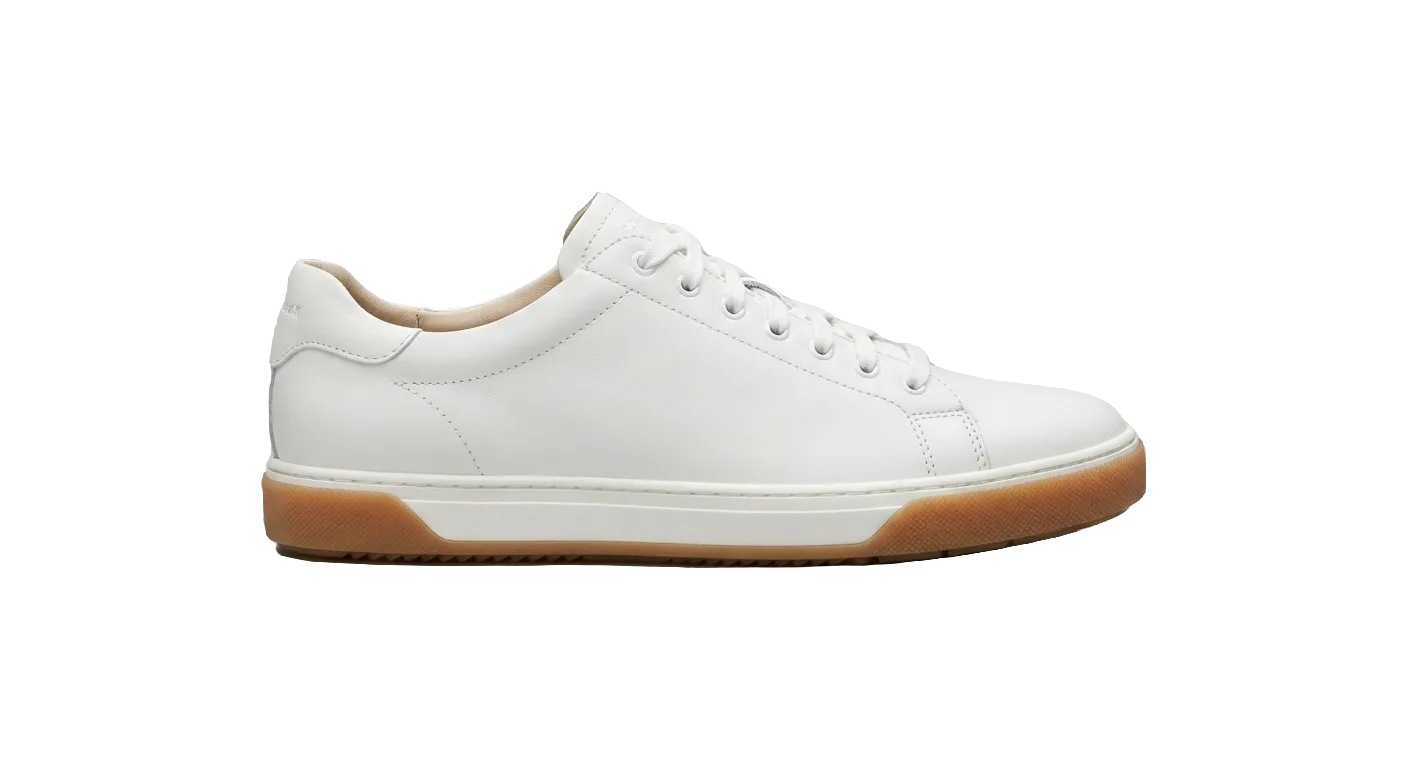
compressshoe-cutout.png · webp−92%
Saved: ~/Desktop/shoe-cutout-compressed.webp
WebP 1408×768: 225 KB → 19 KB (92% smaller)
Done. shoe-cutout-compressed.webp is 19 KB, and the background is still transparent.
The tools
Six tools, the same engine as this site.
Same models, encoders and settings as the web tools. Up to 144 MP and 512 MB per image.
- remove_backgroundAI · 98 MB model
Cuts the main subject out of a photo and saves a transparent PNG.
Cut-out on the web - compressno download
Makes an image smaller with little visible loss, or converts it to WebP, AVIF, JPEG or PNG.
Compress on the web - resizeno download
Changes the pixel size and keeps the proportions, by longest side or by percent.
Resize on the web - cropno download
Crops to an aspect ratio or an exact region, rotates by quarter turns, flips. Pixels are moved, never resampled.
Crop on the web - upscaleAI · 8 or 55 MB model
Enlarges 2× or 4× with AI super-resolution and keeps transparency. Results up to 4096 × 4096.
Upscale on the web - strip_metadatano download
Removes EXIF (GPS location, camera, date), XMP, IPTC and thumbnails. JPEG and PNG are cleaned without re-encoding.
Remove metadata on the web
What goes over the network
Your images never leave your computer.
Only the AI model weights travel, once, from Ruah’s model mirror. Each file is checked against a SHA-256 hash pinned in the package before it is used, then kept in a local cache.
~/.cache/ruah/models
| Model | Used by | Size | When |
|---|---|---|---|
| BiRefNet lite | remove_background | 98 MB | In the background when the server first starts |
| BiRefNet | remove_background | 473 MB | Only if the lite model finds no subject |
| Swin2SR ×2 | upscale 2× | 8 MB | First 2× upscale |
| Swin2SR ×4 | upscale 4× | 55 MB | First 4× upscale |
Compress, resize, crop and strip_metadata download nothing at all.
Other MCP clients
Claude Desktop, Cursor and the rest
Add this to the client’s MCP server config, then ask your agent for an image job in plain words.
{
  "mcpServers": {
    "ruah": {
      "command": "npx",
      "args": ["-y", "ruah-mcp"]
    }
  }
}
Where it runs
Node.js 20 or newer
- macOS · Apple Silicon
- Tested. Upscaling runs on the GPU.
- Linux · Windows (x64)
- Tested on every change. Upscaling runs on the CPU.
- Intel Macs
- Not supported: the AI runtime has no build for them.
- HEIC photos
- Read on macOS only.