Formats
WebP vs AVIF: which should you use in 2026?
Both formats crush JPEG on file size — but they trade off differently between compression and compatibility. Here is how to choose in one glance.
Last updated July 23, 2026
The short answer
Use WebP as your default. It’s supported by virtually every browser in use today and typically lands 25–35% smaller than an equivalent JPEG, with full transparency support. Reach for AVIF when you want the absolute smallest file and you know your audience is on current browsers — it can be 50% smaller than JPEG, sometimes more, at the same visual quality.
If you only remember one line: WebP for compatibility, AVIF for maximum savings.
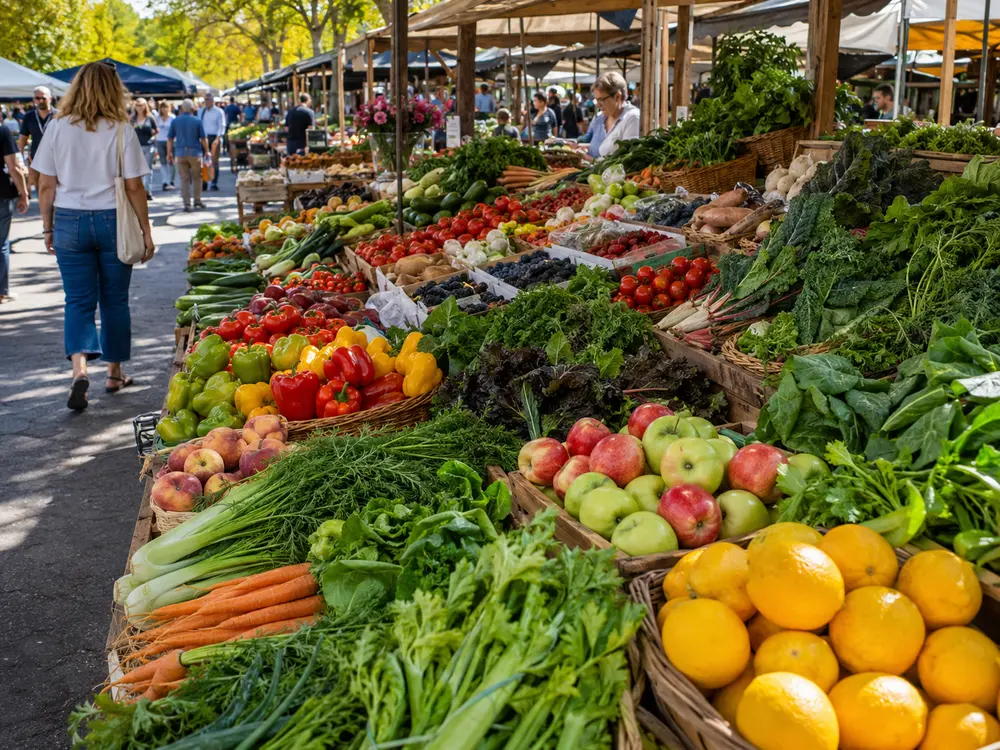
One 1448×1086 photo, encoded both ways at each format’s typical high-quality setting. Real measured files:
| Format | File size | Relative |
|---|---|---|
| WebP (quality 80) | 297 KB | baseline |
| AVIF (quality 50) | 145 KB | 51% smaller |
For a detailed photo like this, AVIF lands at roughly half the WebP size with no visible quality loss — the clearest case for the “AVIF for maximum savings” rule. On flat graphics the gap shrinks or even reverses, which is the catch covered further down.
Size and support at a glance
| Format | Typical size vs JPG | Browser support | Best for |
|---|---|---|---|
| WebP | −25% to −35% | ~99% (universal) | Everyday web images, the safe default |
| AVIF | −40% to −55% | ~94% (all modern) | Photos, hero images, maximum compression |
| JPG | baseline | 100% | Legacy systems, email, old software |
Rule of thumb: if you can’t check what your visitors use, ship WebP. If you control the audience (a modern web app, a documentation site), AVIF is worth it.
When WebP is the right call
- You need it to “just work” everywhere — including older devices, email clients, and third-party tools that may not decode AVIF yet.
- You have lots of images to convert — WebP encodes much faster than AVIF, so large batches finish sooner.
- You want a drop-in JPEG/PNG replacement — WebP handles both photographic images and flat graphics with transparency well.
When AVIF pulls ahead
- The file size genuinely matters — a large hero photo or a gallery where every kilobyte counts.
- You’re keeping high detail — AVIF holds gradients and fine texture better than WebP at low bitrates, so you see less banding.
- Your visitors are on recent browsers — Chrome, Edge, Firefox, and Safari all decode AVIF now.
The catch with AVIF
AVIF’s compression comes from more computation. Encoding is noticeably slower than WebP, and very small icons or simple graphics sometimes end up larger as AVIF than as an optimized PNG or WebP, because the format’s overhead outweighs the savings. For photos it almost always wins; for tiny flat images, compare before committing.
How to convert — without uploading anything
You don’t need a cloud service to switch formats. Drop your images into the browser-based converter, pick WebP or AVIF, and adjust the quality slider until the size and look are right. The conversion runs entirely on your device, so even a big batch stays private and there’s no upload to wait on.
A good workflow: convert to WebP first, check the size, then try AVIF on your largest photos to see if the extra savings are worth it for your project.
Try it now — Convert in your browser, nothing uploaded.